 by Albright Labs

Pulsey
Know before your customers do.
Get the page before your customers complain. Pulsey watches every endpoint and pings you when something breaks, within about a minute on paid plans, and again when it comes back.
No credit card · 50 monitors free
# Run the backup, then tell Pulsey it finished.
# No ping in the expected window and Pulsey alerts you.
0 3 * * * /usr/local/bin/backup.sh && curl -fsS https://my.pulseyapp.com/heartbeat/YOUR_HEARTBEAT_ID
# Ping on success, or report the failure right away
/usr/local/bin/backup.sh \
&& curl -fsS https://my.pulseyapp.com/heartbeat/YOUR_HEARTBEAT_ID \
|| curl -fsS https://my.pulseyapp.com/heartbeat/YOUR_HEARTBEAT_ID/fail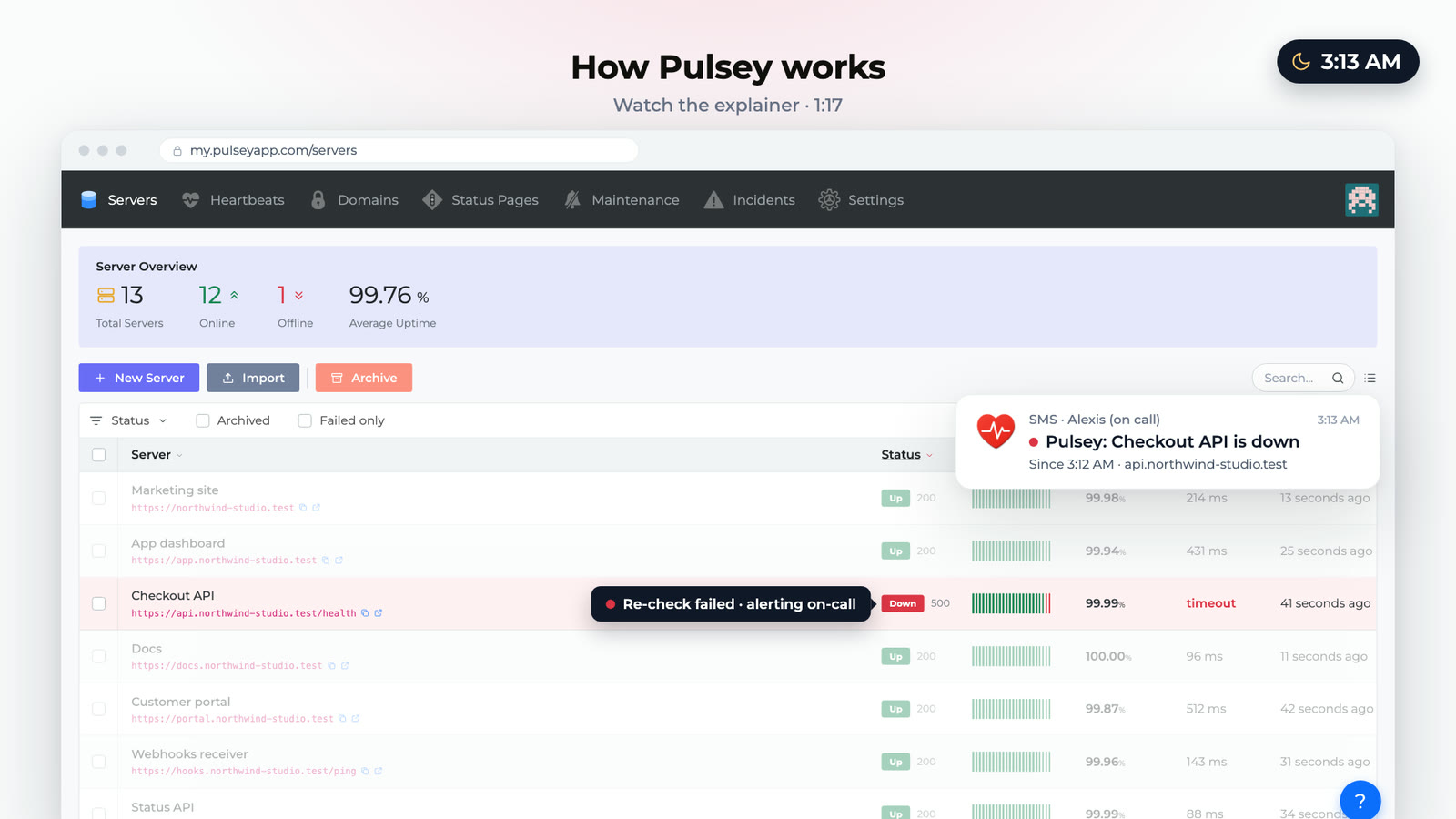
Why Pulsey?
Catch issues before customers do, without the alert fatigue.
On-call hears about it in minutes, not from a customer
On paid plans, Pulsey checks every minute. When a check fails, it checks again 15 seconds later and pages you if that fails too, usually within about a minute. You find out before the first support ticket does.
No 3 AM pages for flapping endpoints
Pulsey re-checks a failing endpoint before it pages anyone, so a two-second blip stays out of your night.
Add a URL and you are monitoring
No agent to install and no code change. Paste an HTTP or HTTPS endpoint and Pulsey watches uptime, latency and recovery from then on.
How Pulsey works.
Add an endpoint, and Pulsey handles the rest.
Add your endpoints
Add websites, APIs, or IPs. Pulsey starts external checks with zero code changes or agent installs.
24/7 monitoring
Probes run continuously and confirm a failure before alerting, so on-call hears about outages instead of blips.
Alerts where you already are
The alert goes to email, Slack, Teams, Discord and more, with what failed and when it started. SMS, PagerDuty, Opsgenie and Pushover are on paid plans.
Everything your on-call rotation actually uses.
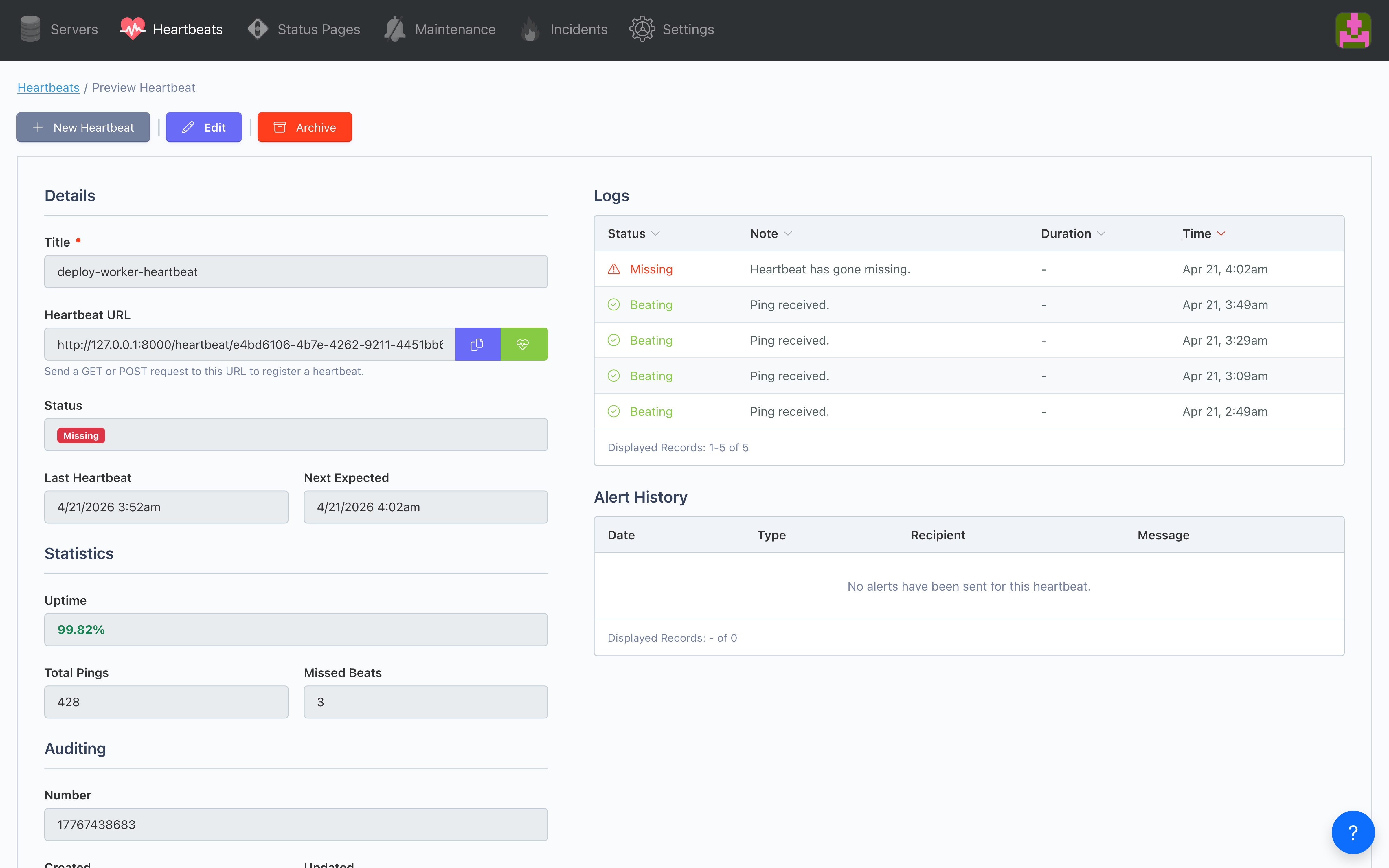
Cron heartbeats, latency history, alerts in the tools your team already uses, and a public status page your customers can check themselves.
Catch HTTP errors at the edge, not in Sentry
HTTP and HTTPS checks on every endpoint, at faster intervals on paid plans.
- Automated HTTP/HTTPS endpoint monitoring
- 1‑minute checks on paid, 5‑minute on free
- Response time tracking
- Uptime percentage calculations
- Bulk CSV import
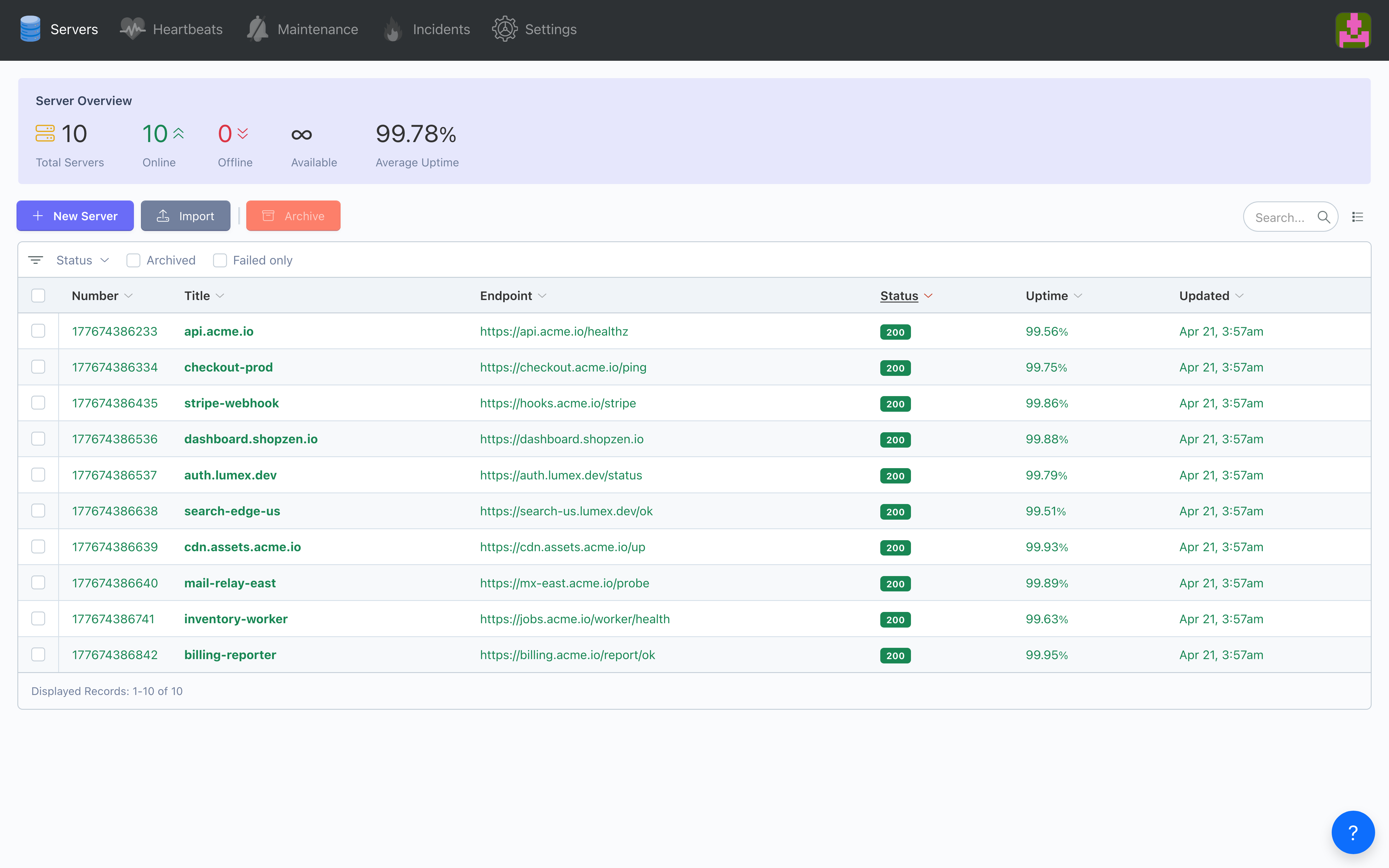
Send every alert where your team already works
Email and text your team on their own schedules and on-call rotations, and post to the tools your team lives in. One list of alert destinations, each with its own events and hours.
- Email to team members, with SMS, schedules, rotations and overrides on paid plans
- Slack, Microsoft Teams, Discord, Telegram and signed webhooks
- PagerDuty and Opsgenie incidents that open and resolve on their own
- Route each monitor to the people and tools you choose
- Escalate unacknowledged incidents to backup on-call
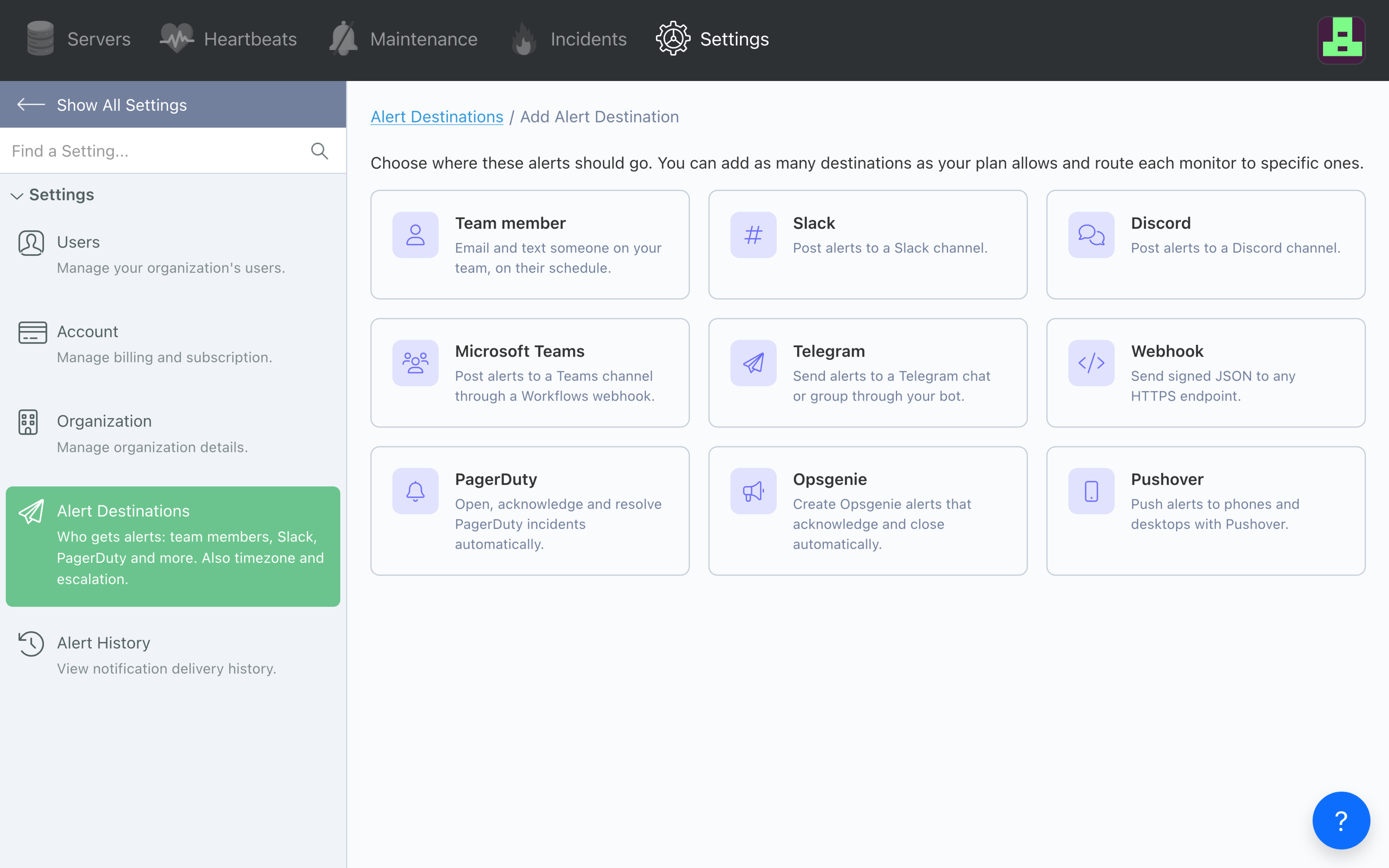
Know the second a cron misses a beat
UUID‑based ping URLs perfect for cron jobs and scheduled tasks, with automatic recovery detection.
- UUID‑based ping URLs
- Flexible timeframes (10 min to 1 month)
- Perfect for cron jobs
- Ping history tracking
- Automatic recovery detection
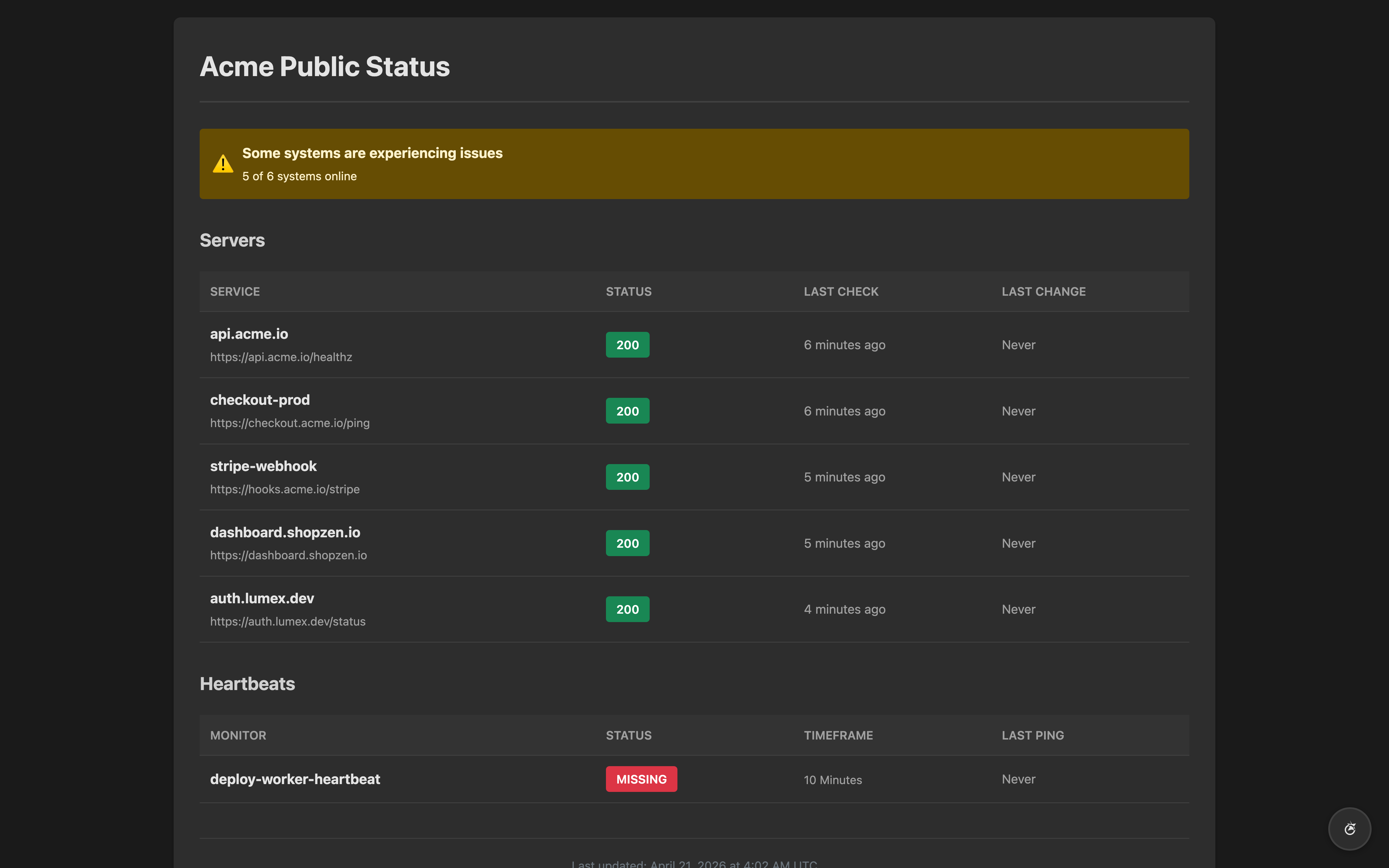
Give customers a status page instead of a support queue
A branded status page that refreshes every minute, so customers check the page instead of emailing you.
- Custom public dashboards
- Custom logo branding
- Dark mode with auto‑detection
- Dynamic favicon status
- Auto‑refresh every 60 seconds
Simple, team-friendly pricing.
Pay for the response time your SLAs require.
Free
- Email alerts for 1 team member
- 5‑minute checks
- 50 servers and 50 heartbeats
- 1 status page
- 1 alert destination (Slack, Teams, Discord, Telegram or webhook)
Basic
- Email & SMS on on‑call schedules and rotations
- 1‑minute checks
- 200 servers and 200 heartbeats
- 5 status pages
- Email, SMS & unlimited alert destinations, incl. PagerDuty and Opsgenie
- 30‑day log retention
Pro
- Email & SMS on on‑call schedules and rotations
- 1‑minute checks
- 500 servers and 500 heartbeats
- 20 status pages
- Email, SMS & unlimited alert destinations, incl. PagerDuty and Opsgenie
- 90‑day log retention
Enterprise
- Unlimited servers, heartbeats & status pages
- 1‑minute checks
- Email, SMS & unlimited alert destinations, incl. PagerDuty and Opsgenie
- 90‑day log retention
- Priority support
Compare us to…
How Pulsey compares with other monitoring tools.
Pulsey vs UptimeRobot
Free-tier parity, plus the integrations you'll actually use
Pulsey vs Pingdom
Start free with Pulsey
Pulsey vs Better Uptime
More monitors on the free plan, with commercial use allowed
Pulsey vs Datadog
Simple monitoring without the enterprise bloat
Frequently asked questions.
Quick technical answers for developers. Reach out to our team.
How fast are notifications?
Pulsey confirms every failure before it pages you. When a check fails, it checks again 15 seconds later and alerts only if that fails too, so a brief blip does not page anyone. Paid plans check every minute, so an outage usually reaches you within about a minute. The free plan checks every 5 minutes, so allow up to about 5.
Where can alerts go?
Email to team members, plus Slack, Microsoft Teams, Discord, Telegram and signed webhooks on every plan, and SMS, PagerDuty, Opsgenie and Pushover on paid plans. Free includes email for one team member and one other destination. PagerDuty and Opsgenie incidents open and resolve automatically.
Do I need to install agents on servers?
No agents required. Pulsey monitors externally over HTTP/HTTPS. Works with microservices and legacy apps.
What can I monitor: websites and APIs?
Any public HTTP/HTTPS endpoint: websites, REST APIs, and services exposed via static IPs.
What's the difference between plans for teams?
Higher tiers raise endpoint limits, enable 1‑minute checks, add SMS, on‑call schedules and rotations, unlimited alert destinations including PagerDuty and Opsgenie, per‑monitor alert routing and escalation, and extend reporting windows.
Can we upgrade or downgrade anytime?
Yes. Changes take effect immediately and billing adjusts pro‑rata.
Any setup fees or contract lock-ins?
No setup fees or contracts. Start monitoring in minutes. Free tier requires no credit card.
Find out before your customers do.
Add an endpoint, and get paged within minutes when it breaks.
No credit card · 50 monitors free